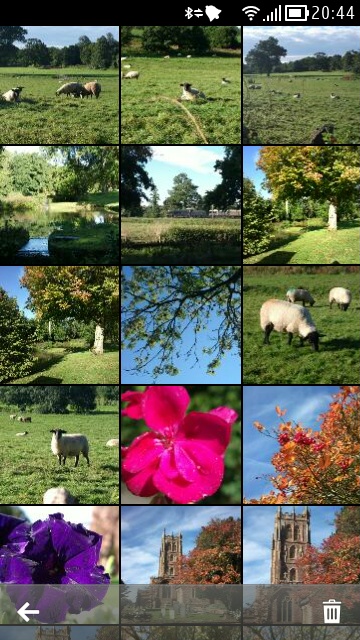
Symbian Belle - sorry, 'Nokia Belle', Feature Pack 2 has been available
now for a few weeks and it's time to take stock. How many steps forward
did this take the OS? And how many steps back? What's in Belle FP2 and
how does it compare to other smartphone user interfaces in 2012?
Before I start, a few disclaimers:
Not every feature mentioned in this feature is available on every
smartphone. I'm using the Nokia 808, but much will also be relevant to
the Nokia 701, 700 and 603.
None of this is directly relevant to older Symbian smartphones (just
cutting off the inevitable beginner comments complaining that their N8
hasn't got Belle FP2 yet....)
Background (2006 to present day)
It's worth noting where Belle FP2 fits into the Symbian timeline. OK,
yes, at the very end, but it's instructive to look back and gather some
historical perspective. It's often quoted that Belle FP1 is the same as
what was once called Symbian 'Carla' and that FP2 is what was once
called 'Donna', but this is simplifying things way too much - when those
projects were first proposed within Symbian and Nokia, their contents
were different to what emerged as updates in the real world. Which is to
be expected. So I'll stick to the published OS update names here.
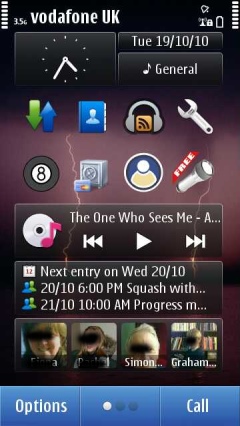
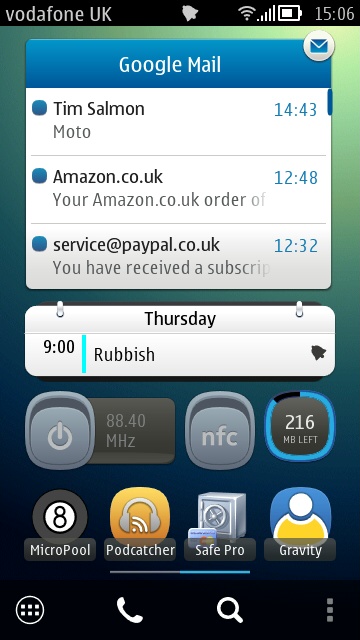
The original Symbian^3 homescreen, lifted from my Nokia N8 in 2010 (left); on the right, my homescreen on my Nokia 808 in 2012
S60 3rd Edition (including FP1, FP2) - the vast range of non-touch,
pre-2009 (mainly) QVGA smartphones - I won't got into detail here, but
there's 100,000 words of content about these devices and their software
scattered here around AAS. Hero devices: Nokia N95, Nokia E71, Nokia
N86, Nokia E90.
S60 5th Edition (December 2008) - Nokia's first cut at adapting S60 to a
full-face touchscreen interface. The transformation worked but was
inelegant in terms of an optimised UI. Most generic S60 3rd Edition
applications could be used or adapted easily. A step forwards but an
ugly one and the use of resistive screens on most of the devices was
clumsy in a world getting used to a popular Apple iPhone. Hero devices:
Nokia 5800, Nokia X6, Samsung i8910 HD, Nokia N97 mini.
Symbian^3 (September 2010) - came out on the next generation of Nokia
hardware, including full graphics acceleration, making possible really
decent games and effects. There were some optimisations for touch over
S60 5th Edition, plus two extra homescreens, and automatic text
correction in the built-in landscape QWERTY virtual keyboard. Hero
devices: Nokia N8, Nokia C7.
Symbian Anna (August 2011) - came out on the Nokia E6 and X7, plus a
huge update for existing Symbian^3 generation devices, bringing portrait
mode QWERTY, split-screen entry, a much better Web browser and
interface, whole new icon set, smooth homescreen swiping, big updates to
Photos, Camera, Mail, Social, and more, NFC activated on the Nokia C7.
Hero device: Nokia E6.
Belle (October 2011) - came out on the Nokia 700, 603 and 701, plus a
huge update for existing Symbian^3 generation devices, bringing a major
reworking of the user interface, with an emphasis on ease of use and
flatter navigation hierarchy, a new RAM management scheme, full NFC 'tap
to ...' functionality (where supported by the hardware), variable-sized
widgets, up to six homescreens, a drop-down notifications and settings
pane, a 'flat' application launcher by default, big facelifts for Camera
and Music player. Hero device: Nokia 701.
Belle FP1 (April 2012) - came out on the Nokia 808 PureView, plus an
update for the Nokia 700, 603 and 701, bringing an increase in the clock
speed of the Nokia 701 and 700 from 1GHz to 1.3GHz, a raft of new
homescreen widgets and toggles, the introduction of Dolby Headphone and
Dolby Digital Plus functionality where appropriate. Hero device:
(obviously!) Nokia 808 PureView.
Belle Refresh (August 2012) - an update for much of the
Symbian^3/Anna/Belle generation, though rollout is still patchy. Brings
many widgets, application updates and optimisations.
Belle FP2 (October 2012) - an update for the Nokia 700/701/808
generation, still rolling out as this article is written and covered in
detail below, bringing many application updates, multi-touch in the
virtual qwerty keyboards, cosmetic changes, music player control from
the notification bar, more widgets, and additional functionality for the
Nokia 808.
Belle FP2 as we head into 2013
It's instructive to take stock of the state of Symbian as we finish
2012, in the light of the rest of the smartphone industry. Once upon a
time (2006), Symbian was the smartphone world, with market share
frequently quoted around 60% or more. Since then we've had the Apple
iPhone (2007), with iOS gradually improving year on year, plus Android
(2008), improving just as fast, and Windows Phone (2010), currently in
the middle of a big step change up to Windows Phone 8. What all of these
mobile OS have in common is that they're designed from the ground up
for full-face touchscreen devices and that there's an emphasis on a
slick user experience.
Symbian came from a world where the main thing was providing
functionality - this was a world where almost every function was new and
remarkable (camera, navigation, stereo music, web browsing, and much
more) and Nokia in particular was a company that was
engineering-focussed, so speed of interface and whizzy effects were
nearly always sidelined in favour of (for example) better battery life.
In contrast, modern 2012 devices are assumed to be plugged into a
charger every single day, screens can be enormous and processor speeds
and interface software can be allowed to run at insane speeds.
The approaches are very different and it's not surprising that Symbian
and Nokia struggled to make the switch to be in line with 2012
smartphone expectations. The very fact that it's taken over four years
for Symbian's virtual keyboard to support multitouch (i.e. you can
press one virtual key before another finger has lifted from the previous
one) is testament to how hard changing some of the deep-seated
components in the OS has been. Even now, we've got something of a
patchwork quilt of a smartphone OS.
Belle FP2 is much more than papering over the cracks of a legacy
operating system being stretched in ways that its initial designers
never intended, but you get the idea. Even today on the Nokia 808
PureView with Belle FP2, there are oddities. Here are a few that come to
mind:
the notification LED not working for emails
no email mentions in the drop-down notification pane
an inconsistency about which keyboard pops up in which application and in what mode
a limitation to only one Mail for Exchange account and only syncing one calendar
built-in social networking support that's based on web browser components, along with all the overhead this brings
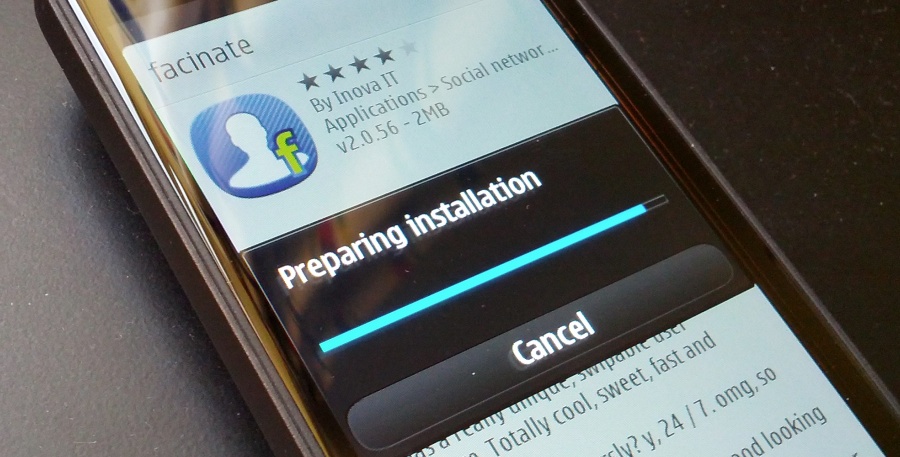
an application installation system that's horribly intrusive (Qt apps
essentially lock out the Store client and installer for a good minute,
even for installing a trivially small utility)
various wi-fi connection and video streaming bugs
web browsing is still slower than on similar Android or iOS devices, especially on javascript-heavy sites
two Office suites are provided, one legacy (Quickoffice) and one
cloud-centric (Microsoft Office), yet neither are particularly fast or
pleasant to use
selected Belle FP1 applications no longer work and at this late stage in
Symbian's development there's a question mark hanging over whether some
of these apps will get updated at all
I could go on - I'm sure you can add your own gripes to the list above!
What we do have is an operating system that's still more battery
efficient than most of the competition - my Nokia 808 PureView regularly
goes two days on a single charge, we have a proper multitasking OS that
allows, emails, social updates, podcasts, all to be gathered in the
background so that the speed of the device almost becomes irrelevant - I
switch to the appropriate application and everything's there waiting
for me. No need to wait or press 'refresh' and then wait some more or
sit there watching dots fly across the screen, as on some other mobile
OS I could mention(!)
Astute observers of the comments threads on all our update stories here
on AAS (some of which are linked above) will notice that there are
always a few gotchas, a few steps backwards to accompany each brace of
steps forward with Symbian. It's something we've come to expect, not
least because every change (in the name of modernisation) is bound to
annoy people who were happy with the previous version.
It's even a valid question to ask whether in fact Belle FP2 is the best
version of Symbian OS yet - I know a fair few Nokia E6 owners who were
much happer with the more d-pad focussed Symbian Anna and who were
mightily upset by the switch to Belle. Or the Nokia 701 owners who found
the rewritten Photos application (put in place because of the 808's
needs) annoyingly cut down from the version in Belle FP1. But, despite a
few minor upsets along the way, simply having the latest versions of
Web and Email and the video codecs, and so on, having the smoothest
performance, having the sleekest camera UI, are all worth having and I'd
always recommend that people upgrade to the latest version of firmware
offered - for every one annoyance there will be two more things which
either delight or work better under the hood.
In short, Belle FP2 is well worth having and in the sections below, I
explore what's new, what's good and, in some cases, what's frustrating.
Belle FP2 in detail
Here's the full changelog from Nokia Belle Feature Pack 1 to Feature Pack 2:
- Swipe to Unlock shade effect for lockscreen (shown below), plus swiping on message notifications opens up Messaging directly
- New staggered keyboard layout with word predictions presented in real time above the keyboard and now supporting multitouch
- New version of Web, (v8.3.2.21)
- Support for voice search in Maps, simply say the place or thing you're looking for(!)
- 808s which had their 'Search' engine permanently set to 'Bing' can now choose 'Google' as well
- New email widget, showing one message at a time
- Other new widgets, e.g. Notes, most of which we've seen before in Belle Refresh for older Symbian^3 generation devices
- Refreshed Music player (v17.3.18), with artists and other tabs in a facelifted UI
- Music player pause/play icon in the notification bar music panel
- Lighter colour schemes by default
- Many transparent toolbars throughout the UI, letting the screen content partially show through
- Homescreen toolbar has added universal search icon
- Gallery changes - now works fully in landscape mode, ALL photo
details available in a detailed info pane (right down to including the
exposure histogram for that shot!), multiple photo selection for
deleting now possible, through a new trash can icon on the toolbar
- New reset button in Creative mode to change all the settings back to default with a single touch
- Nokia Car Mode built in
In addition, the very existence of Feature Pack 2 means that a couple of
other application updates are needed (via SW update on the device):
Microsoft Apps 2.1 (build 2.1.5616)
Nokia Social 1.6 (build 1.6.32, bringing 'new widgets, an enhanced user
experience and feature updates', replaces v1.5.233, which was in the
standard Belle FP1 firmware)
Add it all up and Belle FP2 is a pretty significant update - in the case
of the Nokia 808 PureView, it transforms it from an awkward
camera-centric phone ("What, no multitouch input? What, no way to mass
delete images and videos?") into a much more useable 2012 smartphone.
Critics of Symbian will still maintain that the OS isn't useable, but I
suspect that such writers are still thinking of their old N8 with launch
firmware or (shudder) their experiences with S60 5th Edition on the
Nokia 5800 and N97. Much as I loved the latter two devices as a Symbian
geek, I can see how the resistive screen, scroll and select UI paradigm,
and scarcity of system disk space and RAM would all appear pretty
unusable to someone used to an iPhone or Android phone in 2012.
Which is very unfair, since Symbian (as detailed above) OS and its user
interface have gone through at least four major versions since the days
of the 5800/N97. Slamming Belle FP2 on the Nokia 808 (or 701) is a bit
like me comparing the 808 to an original iPhone and complaining that it
had no support for applications.
Homescreen and launcher
Starting from the lockscreen (shown above), which shows text
notifications, missed calls, and so on (though not emails), being able
to swipe at any angle left or right, from any position on the screen, is
a nice touch and is much more flexible than having to perform a
specific gesture at a specific location, as on (for example) the iPhone
or most Android phones. Having said that, the sprung (hardware) keylock
toggle button on the side of the Nokia 808/701 etc. is even more
convenient, so in practice most users may never even see the lockscreen,
somewhat ironically(!)
With the extra batch of widgets added for Belle FP1 and FP2, Symbian now
has, built-in, just as many homescreen gadgets as most Android phones.
From clocks to weather to connectivity toggles to a data counter to
application shortcuts to email and calendar views to music playback,
Belle FP2 now has pretty much most use cases covered here. There aren't a
huge number of third party widgets (maybe less than fifty in total),
but I for one am very happy with the current selection.
With the N8 on Symbian^3, I famously liked to keep my homescreen very
simple, just the one page, so that everything was to hand. On the Nokia
808 with Belle FP2, I've branched out slightly - after many rounds of
trial and error in day to day use, I've ended up with two homescreens,
shown below - between them they do give a good flavour of the sort of
flexibility available in Symbian as of late 2012:
Add it all up and Belle FP2 is a pretty significant update - in the case
of the Nokia 808 PureView, it transforms it from an awkward
camera-centric phone ("What, no multitouch input? What, no way to mass
delete images and videos?") into a much more useable 2012 smartphone.
Critics of Symbian will still maintain that the OS isn't useable, but I
suspect that such writers are still thinking of their old N8 with launch
firmware or (shudder) their experiences with S60 5th Edition on the
Nokia 5800 and N97. Much as I loved the latter two devices as a Symbian
geek, I can see how the resistive screen, scroll and select UI paradigm,
and scarcity of system disk space and RAM would all appear pretty
unusable to someone used to an iPhone or Android phone in 2012.
Which is very unfair, since Symbian (as detailed above) OS and its user
interface have gone through at least four major versions since the days
of the 5800/N97. Slamming Belle FP2 on the Nokia 808 (or 701) is a bit
like me comparing the 808 to an original iPhone and complaining that it
had no support for applications.
Homescreen and launcher
Starting from the lockscreen (shown above), which shows text
notifications, missed calls, and so on (though not emails), being able
to swipe at any angle left or right, from any position on the screen, is
a nice touch and is much more flexible than having to perform a
specific gesture at a specific location, as on (for example) the iPhone
or most Android phones. Having said that, the sprung (hardware) keylock
toggle button on the side of the Nokia 808/701 etc. is even more
convenient, so in practice most users may never even see the lockscreen,
somewhat ironically(!)
With the extra batch of widgets added for Belle FP1 and FP2, Symbian now
has, built-in, just as many homescreen gadgets as most Android phones.
From clocks to weather to connectivity toggles to a data counter to
application shortcuts to email and calendar views to music playback,
Belle FP2 now has pretty much most use cases covered here. There aren't a
huge number of third party widgets (maybe less than fifty in total),
but I for one am very happy with the current selection.
With the N8 on Symbian^3, I
famously liked to keep my homescreen very simple,
just the one page, so that everything was to hand. On the Nokia 808
with Belle FP2, I've branched out slightly - after many rounds of trial
and error in day to day use, I've ended up with two homescreens, shown
below - between them they do give a good flavour of the sort of
flexibility available in Symbian as of late 2012:
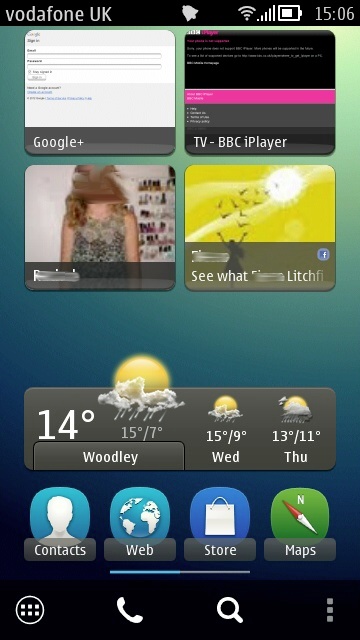
From left to right, anti-clockwise: Email inbox
(swipeable/scrollable), calendar (next event, though there's a bigger
one available showing a full agenda, if desired), FM transmitter on/off
(still a killer feature on the 808), NFC on/off (I don't use it that
often, so why leave the NFC antenna powered up?), four application
shortcuts (my most used apps), four of the major Symbian applications,
for easy access, current weather and for the upcoming two days (a five
day forecast is available if I tap through), shortcuts to my other two
family members (i.e. tap to call or message or email them), plus
shortcuts to the HTML5 Google+ interface and BBC iPlayer (for streaming
programmes or downloading them to mass memory).
Note the bottom toolbar - I'm using the
Belly Jean theme,
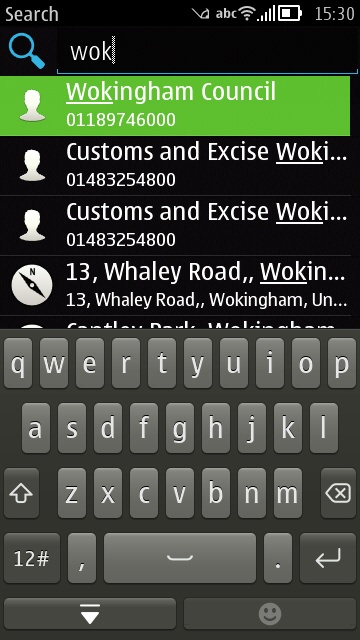
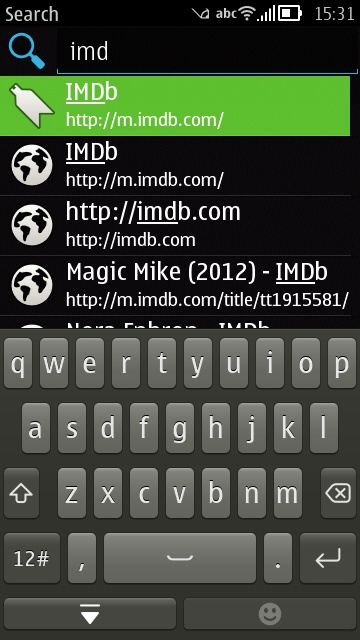
by the way, which I highly recommend. Belle FP2 adds a permanent search
icon, tap this to be able to type anything and have it quick matched in
all contacts, calendar items, web bookmarks and history, plus the
single tap option to search for what you've typed so far in Google or
Bing. Sound revolutionary? Not really, Palm OS had this back in 2000 and
Apple most definitely did not invent the idea, whatever its lawyers
say.
Quickmatching a contact and a web bookmark - two of the many uses for the integrated Search facility.
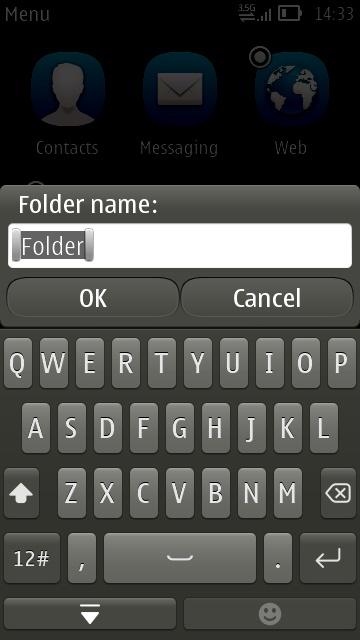
The main application menu has been 'flat' since Belle arrived (see
above), but this ease of access for new users (i.e. nothing is hidden)
is a pain for experienced users (like me) - I create folders for
'Video-related' applications, for 'Games' and for 'Rarely-used'
applications. Putting icons into these folders is as easy as long
pressing one and choosing 'Move to folder'. The system works very well, I
end up with about three screens of icons to scroll up and down, at
most.
Text entry
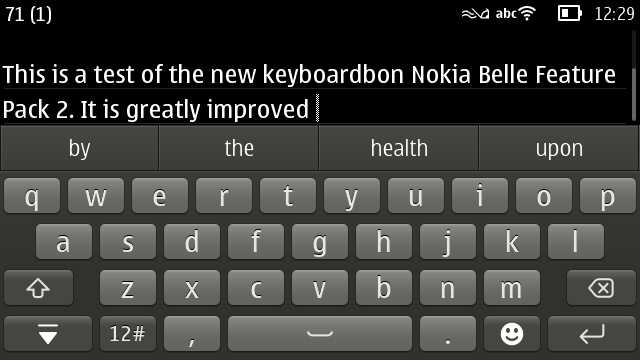
One of the most significant changes for Belle FP2 was the addition of a
'staggered' layout qwerty keyboard with multitouch. The old 'grid'
keyboards are still there in the OS and brought up by some legacy
applications, as indeed is the old 'numeric keypad' method of entry. As
indeed is a
brand new, rewritten numeric keypad. Gah - I said things were a little confusing under the hood in places!
Staying with the QWERTY defaults though, the new keyboard is (as is
typical for Symbian) two steps forward and one step backwards:
The new layout is similar to those on most other 2012 smartphones, so
will be welcomed by users and critics alike, while the multitouch
handling means that you can, in theory, go a
lot faster when
typing, not having to lift each fingertip cleanly before placing the
next one. The aforementioned step backwards is because there's now no
option (at least in the current firmware build) to auto-insert word
corrections. So you can't hammer away, iPhone-style, and trust the
software to kick in - instead you have to keep a close eye on what
you're typing and, when a word goes wrong, you have to tap the
appropriate correction from the suggestions listed above the virtual
keys. In practice, this slows down input to more or less what it was
without multitouch - maybe slower.
Such an omission can be argued to be a deliberate design decision
("People hate having their words corrected to something they didn't
mean"), but in my view the vast majority of users will want (and expect)
auto-correction, just as on iOS, Android and Windows Phone. A major
disappointment, though surely something that can be easily fixed by
Nokia in a software update/patch, if there's still the will and
resources at Accenture.
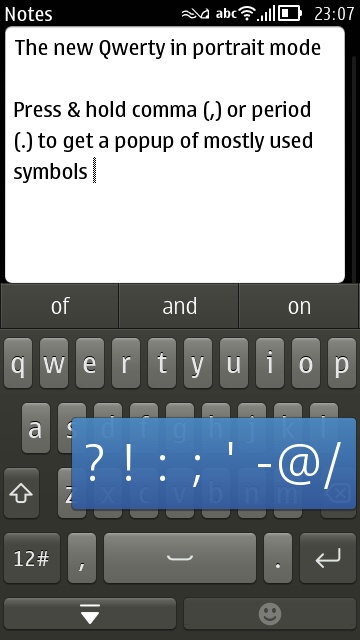
Of note is that the most commonly used punctuation symbols are now not
only on the underlying symbol keyboard, they're also mounted as a
quick-tap panel of eight that pops up when you long press comma (,) or
period (.), in much the same way as long pressing a letter pops up a
panel of accented character options has always done on Symbian's QWERTY
implementation.
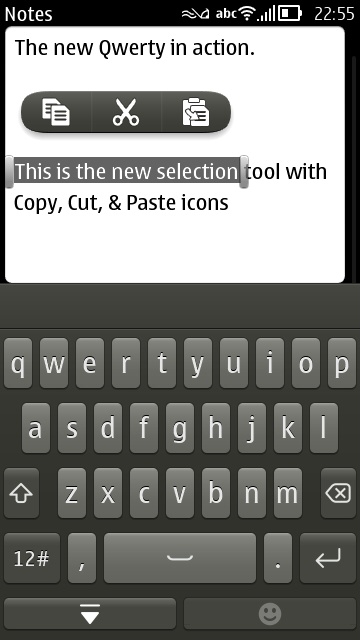
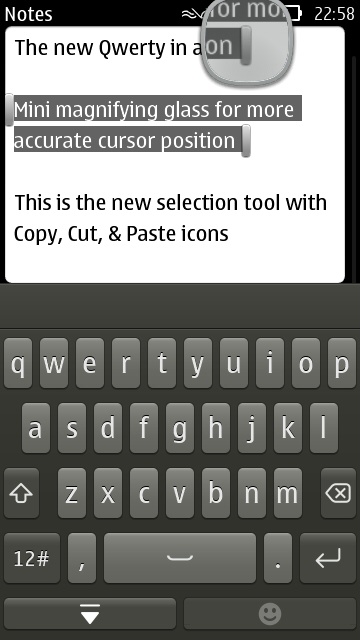
Also new for Belle FP2 is a refinement in selecting text and copying it to the system clipboard:
The new system is based around:
- Tap in editable text to position the cursor - once the cursor is
placed (approximately), 'nudge' arrow keys (in blue and hard to
screenshot here!) appear for a second or two, to allow more accurate
placement if needed.
- Tap and drag to select text, which appears highlighted, along with start/end markers.
- Drag the end markers as needed, to further refine the selection - a
magnifying glass helps here, by showing more closely exactly where the
markers are going.
The system works well and is fully-optimised for touch. The system's
unashamedly text-based though and any observer would have to give iOS's
rich clipboard system the edge in this regard. Still, it's ample for
what most of us need and very slickly done.
Web browsing
I can be accused here of being a little old-fashioned, but I rarely
'browse' web pages on my smartphone. If a link is passed to me via email
or Twitter then I might choose to open it in Web and have a read, but
95% of online information comes to my Belle FP2 phone via clients:
email, social, timetable, reference, and so on.
However, web browsing is important to some and Symbian's Web is often
accused of not being competitive enough. The 1.3GHz processor in the
Belle FP1/FP2 devices should help here, but this OS update also includes
a new version v8.3.2.21, with better performance and better HTML5
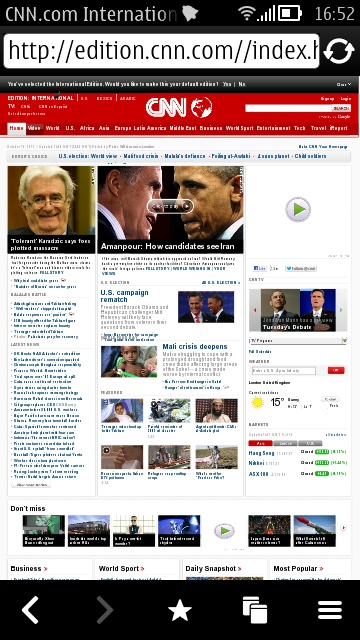
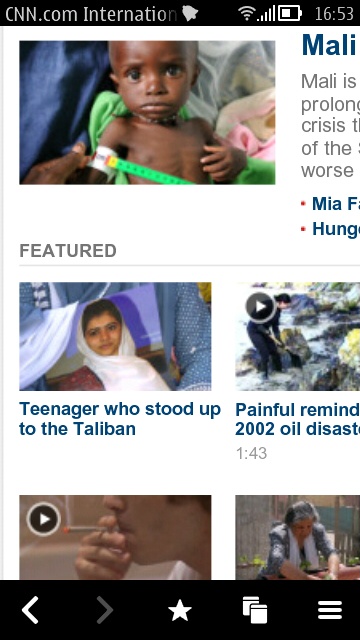
compatibility. In a quick and dirty benchmark, I tested loading times
for my own site,
stevelitchfield.com (low
complexity), the full New York Times web site (average complexity), the
BBC desktop site (average complexity) and the full CNN site (high
complexity), on both the Nokia 808 PureView running Belle FP2 and the
dual core Samsung Galaxy Nexus, running Android 4.1 (Jelly Bean):
| Sites/load times | Nokia 808 PureView with Belle FP2 browser | Galaxy Nexus with Android 4.1 |
| stevelitchfield.com | 10s | 3s |
| nytimes.com (full) | 27s | 11s |
| bbc.co.uk (desktop) | 12s | 3s |
| cnn.com (full site) | 43s | 16s |
This was with the default Android browser - apparently Chrome's even
faster. The Galaxy certainly isn't the fastest of the current 2012
smartphones, but is up in the top bracket and makes for a good litmus
test for whether Web in Belle FP2 on the 808 can pass muster.
The results won't surprise anyone who's tried loading pages in Symbian
Web in the last few years. Although the amount of HTML5 compatibility
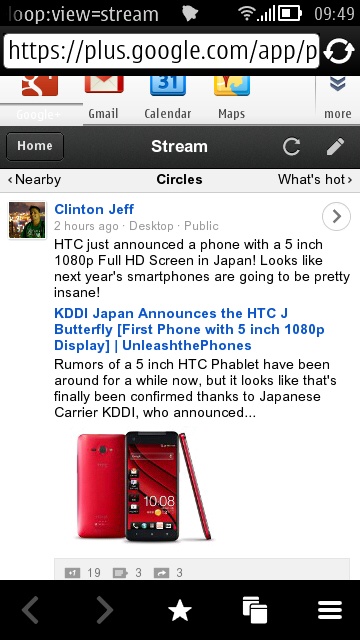
has risen massively (as shown below, and which is why you can
use, for example, the Google+ site),
the overall speed of rendering hasn't. Add this to the relatively low
nHD screen resolution and it has to be said that you have to be
something of a masochist to do a lot of web browsing on Symbian, even at
Belle FP2.
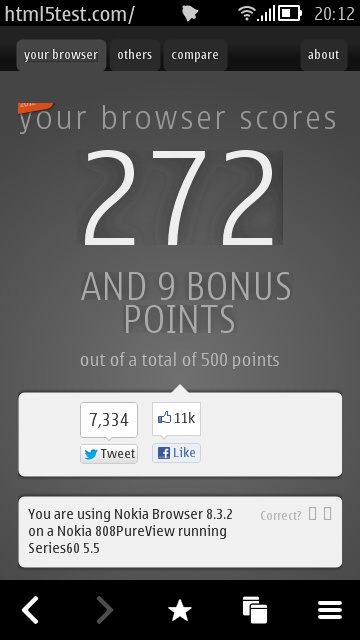
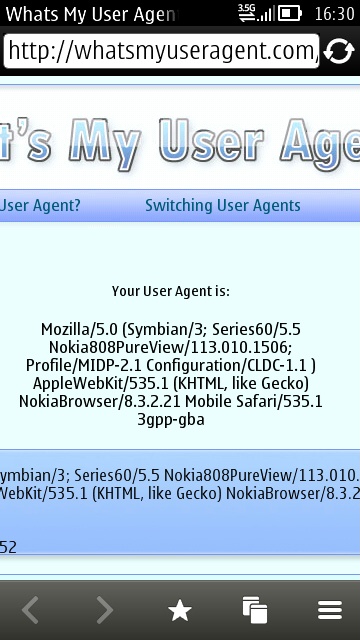 HTML5Test.Com scores 272 with 9 bonus points (it was 226 with 9 bonus points in Belle FP1). The user agent is Webkit 535.1
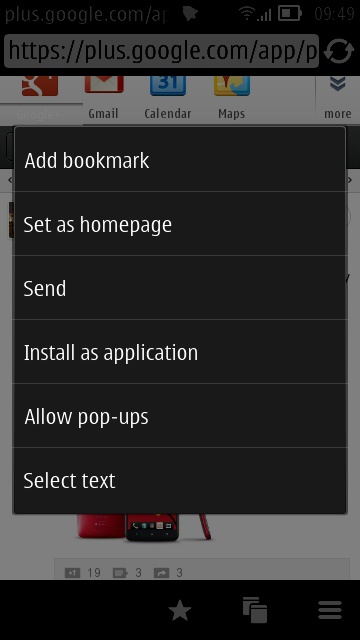
One new extra for Belle FP2 is being able to directly save a Web
bookmark to an 'application'. So, in the case of the HTML5 Google+ site
mentioned above, the user would just long press on a part of the page
desired and on the pop-up menu is a new option 'Install as application'.
This is more or less instant and the favicon for that page is then
shown as a bona fide application in the main menu (in similar manner to
how the iPhone manages putting Safari bookmarks into its app menus).
Quite cool and I suspect many of us will get some use from this
convenience feature.
Social integration
In theory, social integration into Symbian these days is excellent.
Belle FP2 comes, as detailed above, with another new version of Nokia
Social, with extra optimisations and wizards to sync contact thumbnails
from social networks to matching contacts in your main address book on
the phone. There's a traditional tabbed Twitter view, full support for
uploading media, homescreen widgets, plus a rather comprehensive
Facebook client with all the features a casual user might need. And it's
all in the phone, for free - what's not to love?
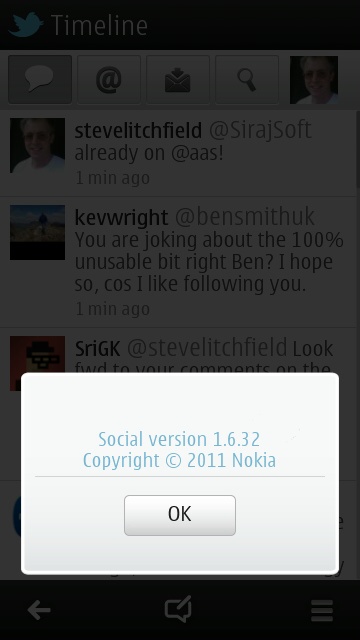
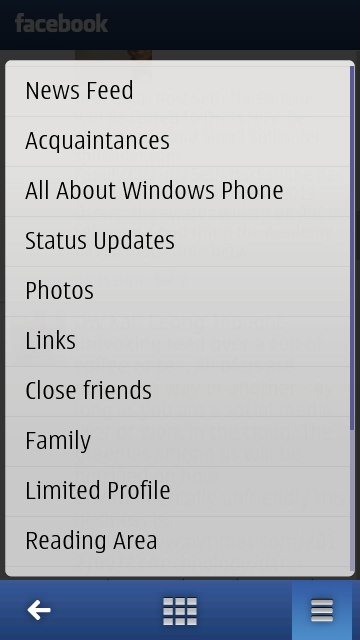
In practice, Nokia Social is just too slow. The first versions were all
written in Web Runtime code, i.e. HTML, CSS and javascript and, while I
suspect more of its modules are now Qt-based, it's just not quick enough
when compared to dedicated Twitter and Facebook clients. Nokia gets
credit for decent integration into Contacts and for the general look and
feel, but once you get beyond the basics, there's an awful feeling of
lag - scrolling is jerky, taps are sometimes missed, images in Facebook
newsfeeds and in friend photo albums take forever to appear. You get the
idea. Nokia Social isn't bad as such - if it ran at three times the
speed, noone would need a third party client on Symbian ever again. But
the current implementation just pales besides what's available in the
likes of Gravity, Tweetian, Twimgo, fMobi, Facial, facinate and others.
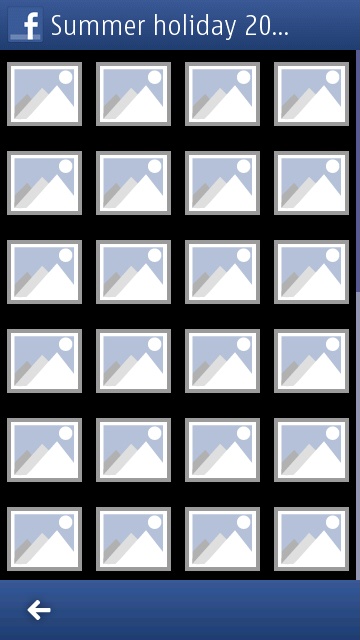
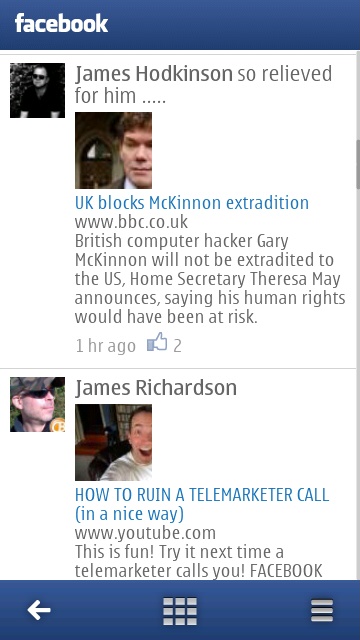
Diving into a photo album in a friend's profile is a frustrating
experience - the gallery of blank thumbnails (left) persisted for a good
30 seconds before anything happened; right, the standard Facebook
newsfeed view.
Talking of 'pale', another longstanding gripe of mine about Nokia Social
is that it steadfastly continues to adopt a white theme for the entire
interface - on the AMOLED-screened Nokia 700 and 808, this is a huge
power-hungry no-no. Every other social client on Symbian seems to be
able to put a 'dark theme' in its settings, so why not Nokia Social.
It'll be fine, colour-wise, on the TFT-screened Nokia 701, but this is
another reason I can't recommend it on the flagship Nokia 808 PureView.
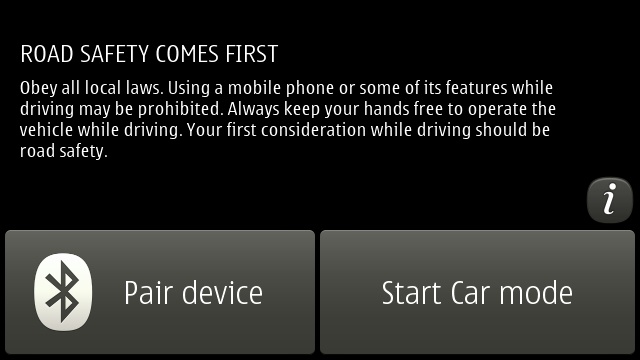
Car mode
Already released for older devices and so not actually new, but it's
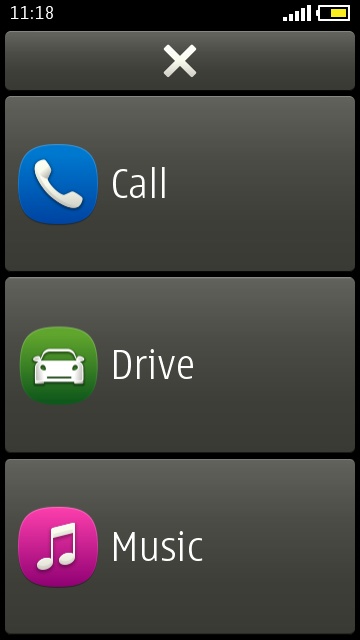
good to see Nokia Car mode make it into device firmware. Offering just
the core three functions shown (so sorry if you like replying to email
one handed while on the road!), but they're well chosen and cater for
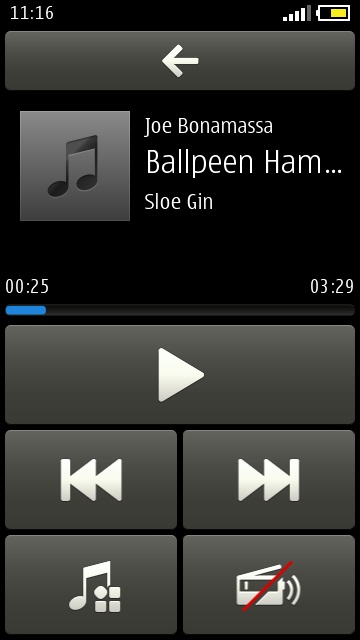
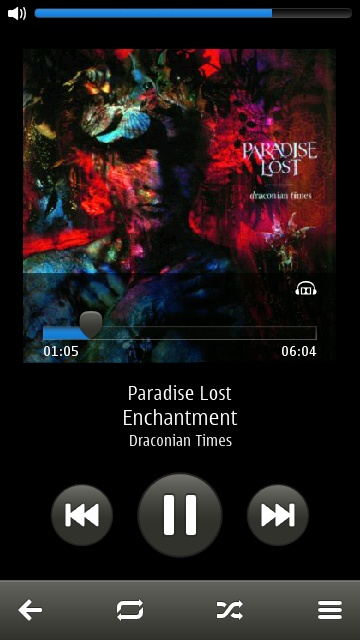
what most people need while driving. The music module defaults to
'shuffle' mode, but you can change this as needed...
As you can see from the screenshots, all functions are implemented with
over-size buttons, making them easier to hit without taking your eyes
off the road for too long. Very cool, and every smartphone should have
something like this.
Camera tweaks
Also in Belle FP2 is a new Camera application - new, that is, to the
Nokia 603, 700 and 701, since it's the guts of the Camera application
that debuted with the Nokia 808 PureView. On the plus side, the
interface is now more intuitive and you can launch the camera from a
locked phone by pressing and holding the shutter button - on the minus
side, there's no option in the new app to switch to the front camera -
yet another example of the two steps forwards, one step back syndrome
that has plagued Symbian in recent times.
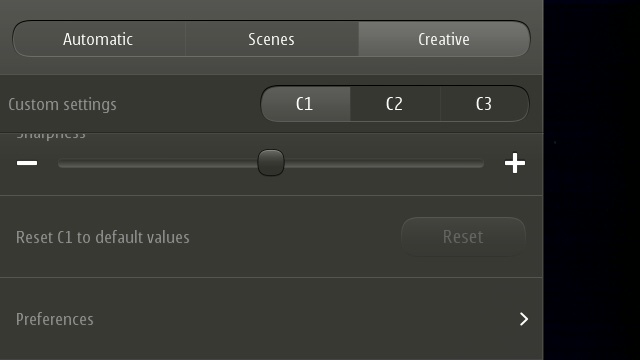
On the 808 PureView, down at the bottom of the Creative pane of
settings, there's the extremely welcome option to reset any of the three
custom presets to 'default values'. I was forever fiddling with
something and forgetting to change it back, so this gets a big thumbs up
from me.
And the rest
There's a lot more in terms of little tweaks and features, as per the
changelog above. Music player has received a facelift, with volume now
appearing as a top-of-screen blue gauge and only controllable via the
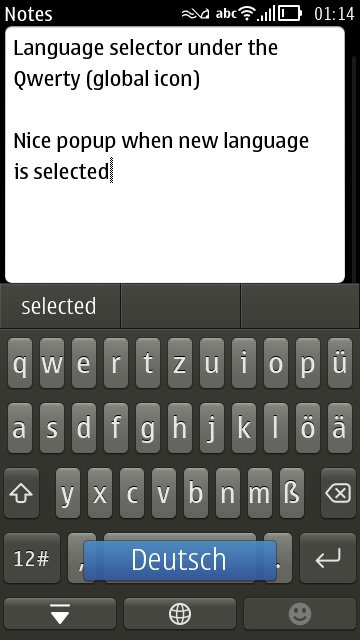
phone volume buttons. And it's now easy to change the input language on
the fly:
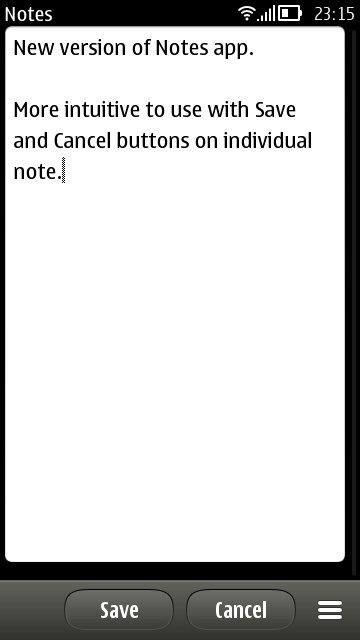
In addition, Notes has a new UI with more obvious means of saving a new
entry. And Photos has been totally rewritten for blistering performance -
ostensibly to make rendering the Nokia 808 PureView's (potential) 38MP
images possible, but the speed increase will be noticeable on other
phones too. The downside is that the only multi-tag option from the main
gallery is 'Delete'. Other operations (e.g. 'Send') have to be done on
each image individually. Overall, I'm happy though.
Verdict
Belle Feature Pack 2 is likely to be the very last major update to
Symbian OS and it's a bit of a 'curate's egg' if I'm honest. I'm glad
it's out, there are plenty of splendid features, but there are weak
points to the whole OS that remain weak and there are silly bits missing
(e.g. auto-correct in the keyboard) that really need patching via
Sw_update sooner rather than later.
Does Belle FP2 take Symbian to the same level as iOS, Android and
Windows Phone in terms of user interface speed and fluidity? Sometimes.
Is Symbian's UI a showstopper, a reason to not plump for a
Symbian-powered phone like the Nokia 808 PureView in 2012? Absolutely
not. The OS shows its age occasionally, but Belle FP2 is largely a
smooth and pleasant experience, especially if you know what you're doing
and you fill in some of the weak points with third party applications:
Opera Mobile, Gravity and so on.
With the UI out of the way, your buying choice then comes down to
whether you value Nokia's rather terrific hardware and gadgets over the
admittedly limp state of its application ecosystem.